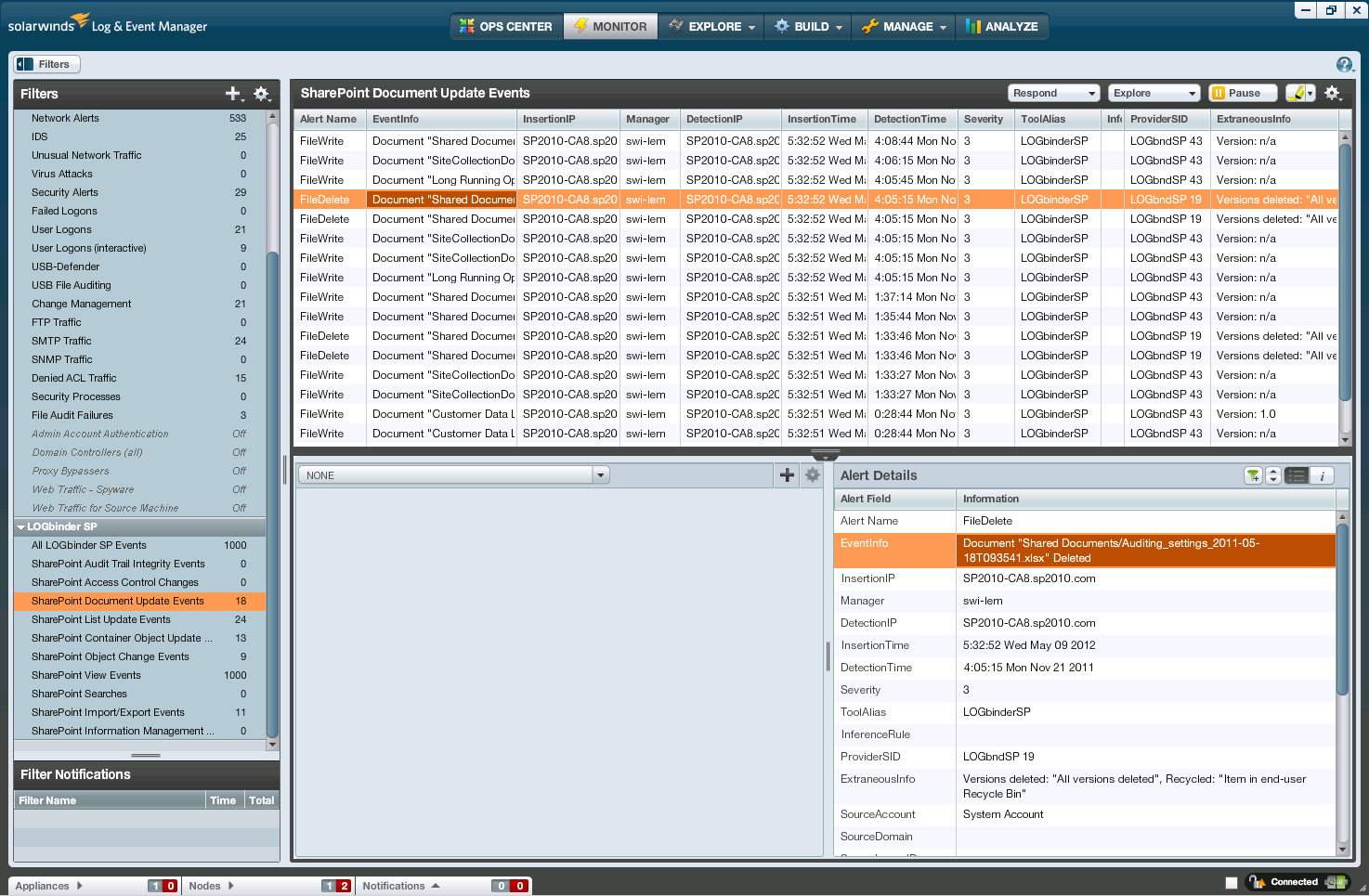
LOGbinder for SharePoint translates cryptic SharePoint audit data into easy-to-understand messages
and sends them to your SIEM – where they belong. LOGbinder for SharePoint does not require an
agent to be installed on your SharePoint servers, nor does it make intrusive changes
to your SharePoint environment. We simply bridge the gap by bringing application
security intelligence on SharePoint to your security operations center.
- Translates cryptic SharePoint audit data in to easy-to-understand events
- Sends SharePoint audit events to your SIEM using the best method
- Centrally manages audit policy for the entire farm
- Safely purges internal audit log
- Safeguards audit log integrity
LOGbinder for SharePoint is a small, efficient Windows service that runs on any Windows server
that is a member of your SharePoint farm. This can be an existing SharePoint server
or a dedicated server – even a VM. It just needs to be a member of the farm so that
LOGbinder can interface with the SharePoint API. Regardless of how many servers are
in the farm, you usually only need to install one instance of LOGbinder for SharePoint per farm
that is licensed for all the servers within the farm. Only one instance of LOGbinder for SharePoint
is usually required per SharePoint farm and
LOGbinder for SharePoint can coexist with other LOGbinder products like
LOGbinder for Exchange and
LOGbinder for SQL Server.
Once started and using the minimum necessary privileges, the LOGbinder for SharePoint service
frequently searches the internal SharePoint audit log for new events and then translates
them into easy-to-read events which it then forwards to your SIEM solution. If LOGbinder for SharePoint
sees activity that indicates potential privileged user tampering with audit policy
configuration or unauthorized log purging, it inserts additional warning events
into the audit stream.
Periodically, LOGbinder for SharePoint checks for new site collections and configures them with
your specified default audit policy. Every 24 hours LOGbinder purges events already
sent to your SIEM from the SharePoint content database so that resources are conserved.
LOGbinder for SharePoint has special technology to compensate for SharePoint memory leaks, preserve
stability, control memory and CPU footprint and reduce queries associated with
name resolution, to ensure audit integrity is maintained, and make troubleshooting
easy.
Where can I learn more about the SharePoint Audit Log?
What can I monitor with the SharePoint Audit Log and LOGbinder for SharePoint?
What does LOGbinder for SharePoint do to my SharePoint installation? Does it modify SharePoint?
Will it conflict with any other SharePoint extensions or modifications?
"Nothing" and "no" are the short answers. LOGbinder for SharePoint is a Windows service that
runs independently of SharePoint. There are NO changes to SharePoint whatsoever
other than configuring SharePoint's audit feature and purging the SharePoint audit
log of old events if you configure LOGbinder for SharePoint to do so.
Will LOGbinder for SharePoint slow down my server or cause other resource issues?
No, the LOGbinder for SharePoint service is a tiny executable program that efficiently checks
the SharePoint audit log for entries and uses limited resources while processing
events.
LOGbinder for SharePoint runs at a lower priority than SharePoint, so it will never compete
with SharePoint for resources.
Your SharePoint audit policy has the biggest impact on what resources LOGbinder
needs; for each site collection, consider whether you really need to audit read/view
access.
How secure is LOGbinder for SharePoint?
LOGbinder is fully integrated with Windows security and complies with widely accepted
secure design and coding techniques.
At installation, LOGbinder secures the folder permissions where the software files
reside. To protect LOGbinder's configuration from tampering, LOGbinder encrypts
its configuration data.
LOGbinder security requirements are greatly simplified since LOGbinder does not
store your audit log data. LOGbinder is designed to quickly get audit events
out of the SharePoint audit log and to the destination of your choice, at which
point your log management solution takes over. If you configure LOGbinder for SharePoint
to direct events to the Windows security log, you leverage the significant effort
Microsoft has invested in protecting the security log. And if you are already
collecting Windows security logs with your log management application, SharePoint
events will automatically be included when you install LOGbinder for SharePoint.
LOGbinder for SharePoint's design helps you fulfill separation of duty and audit trail integrity
requirements by quickly getting audit events off the system where they are produced
(and thus vulnerable to intruders or malicious administrators) and into your separate
and secure log management system.
Does LOGbinder for SharePoint require much configuration?
LOGbinder for SharePoint installs in about 2 minutes and only requires a few settings:
- Select which site collections for LOGbinder to translate the audit log
- Specify the user account LOGbinder should run as
- Choose whether to output events to the custom LOGbinder SP event log, to the actual
Windows Security Log, syslog or to a text file.
How do you monitor LOGbinder for SharePoint’s health?
Check the Application log for warnings or errors from source LOGbndSE.
Why doesn’t LOGbinder for SharePoint include alerting or long term archival capability?
These are functions of a log management solution. LOGbinder complements and
enhances the value of your log management solution. If you do not already have a
log management solution, we can provide a simple, inexpensive, but dependable solution
from our partner and we will help you install and configure it.
How does LOGbinder for SharePoint integrate with my current log management solution?
With LOGbinder, any log management solution that supports Windows event logs, text
file or syslog can now collect, monitor, archive, and report on SharePoint audit
log activity. Also, see next Q&A.
Which output formats does LOGbinder for SharePoint currently support?
LOGbinder can output to either the Windows Security Log, syslog, text file, or a
custom Windows event log called LOGbinder for SharePoint.
How is LOGbinder for SharePoint licensed?
Does LOGbinder for SharePoint need to be installed on the SharePoint server?
You do not need to install LOGbinder for SharePoint on a production SharePoint server.
The SharePoint object model classes that provide access to the SharePoint audit
log require code to run locally. To audit a given SharePoint farm, LOGbinder for SharePoint
needs to be installed on just one of the servers to fully audit the farm. This can
be an existing SharePoint production server or a new server you deploy for LOGbinder for SharePoint
(usually a virtual machine).
What user credentials must be assigned to LOGbinder for SharePoint? Why?
The account used to run the LOGbinder application must be a member of the server's
local Administrators group and a SharePoint farm administrator.
The account you choose for the LOGbinder service (which can be the same)
must also be a SharePoint farm administrator and an administrator
on each site collection being monitored.
These requirements come from SharePoint in order to access the SharePoint audit log.
This account needs to be authorized to run as a service, and if outputting the Security log,
must be authorized to write to the Security log.
Does LOGbinder for SharePoint support multiple SharePoint site collections?
Yes. With LOGbinder for SharePoint you can configure the SharePoint audit policy and enable/disable
translation of the audit log for each site collection on the SharePoint server.
Your SIEM or log management solution already does a great job at collecting, archiving,
correlating and reporting on security logs. We just extend that capability to SharePoint.
LOGbinder for SharePoint works with any SIEM, log management or Big Data platform that can consume:
- Windows event logs
- Text files
- Syslog UDP
- Common Event Format (ArcSight)
- LEEF for Qradar (Future release)
In addition, we provide Recommended Report and Alert specifications so that you
can intelligently respond to and analyze SharePoint security activity once it’s
in your SIEM. If your SIEM vendor is one of our Synergy Partners, your SIEM
already understands SharePoint events from LOGbinder. If not, introduce us to your
SIEM vendor; we’d love to work with them!